Turn a photo into a bead, stitch or pixel pattern
Upload a photo and get a pattern in a second, in real Perler, Hama, Artkal or DMC colors, Minecraft blocks or yarn colors from your photo. The PNG is free; the printable PDF chart with symbols and a color list with counts is $4.99.
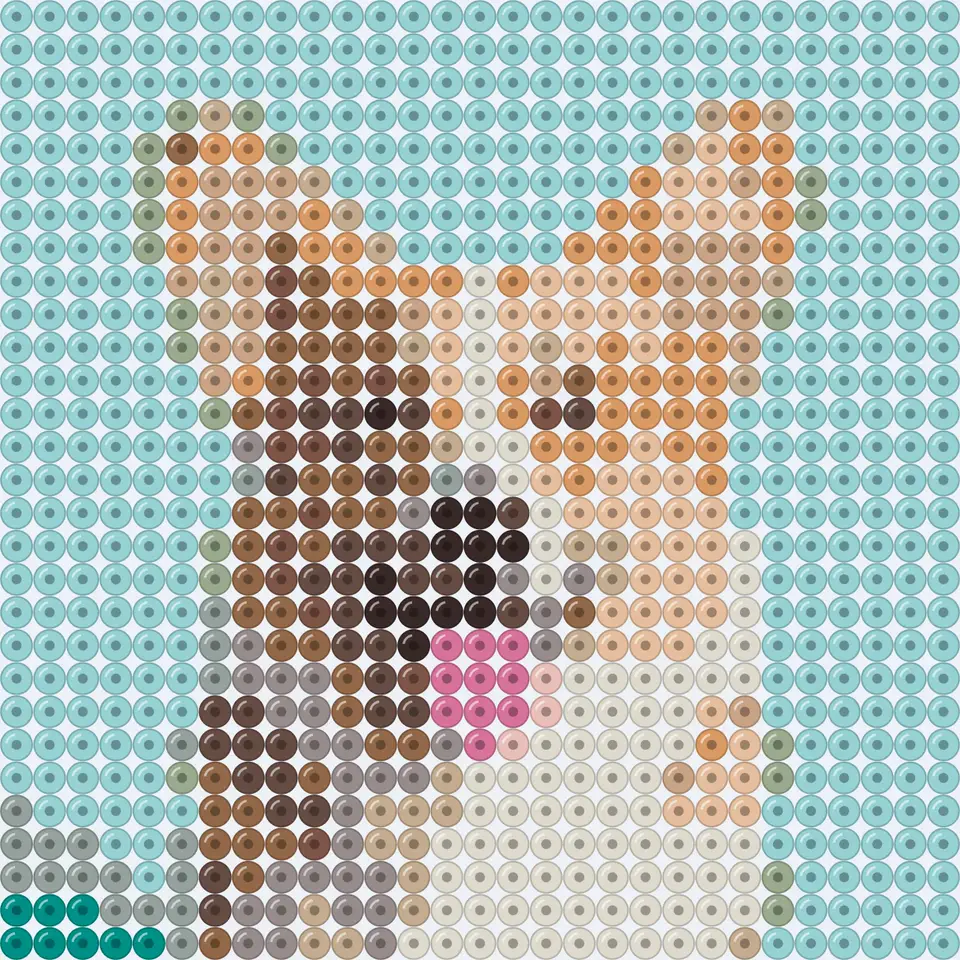
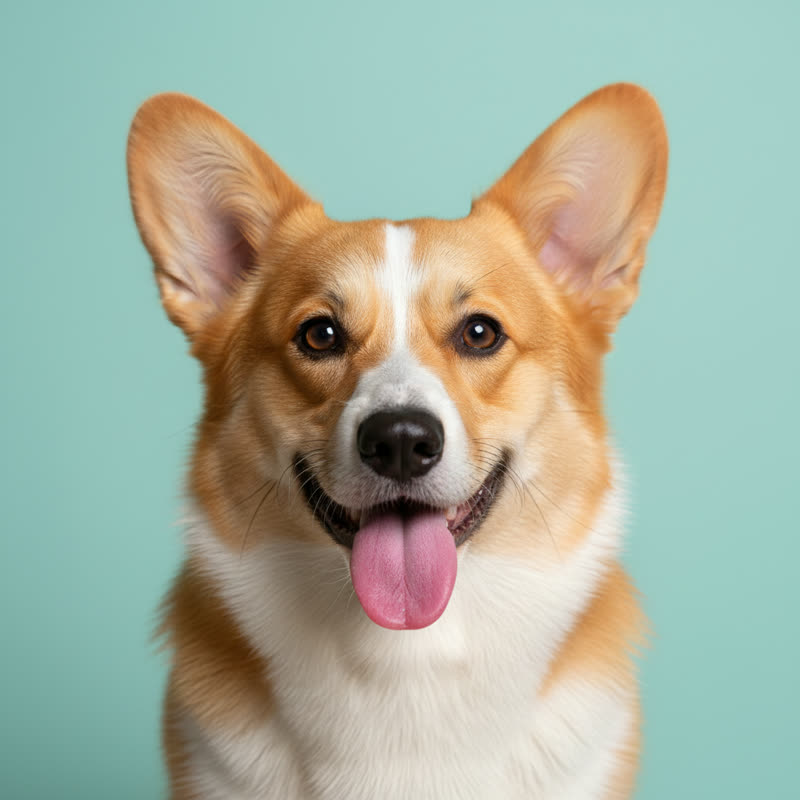
One photo, six crafts
The same photo makes a different pattern for each craft, because each one has its own colors, size and rules.
- Fuse beads: Perler, Hama or Artkal colors, 29 beads per pegboard, a count for every color.
- Cross stitch: 454 DMC floss colors, finished size on 14-count Aida, skeins to buy.
- C2C crochet and tapestry crochet: a few bold colors and written rows.
- Minecraft blocks: block names, counts and stacks, bold lines every chunk.
- Pixel art: free colors or PICO-8 and Game Boy palettes, crisp PNG.
 Fuse beads29 × 29 Perler
 Cross stitch100 × 100 DMC
 C2C crochet50 × 50, 8 yarns
 Tapestry crochet60 × 60, 6 yarns
 Minecraft blocks64 × 64 blocks
 Pixel art64 × 64, 16 colors
What you get in the PDF
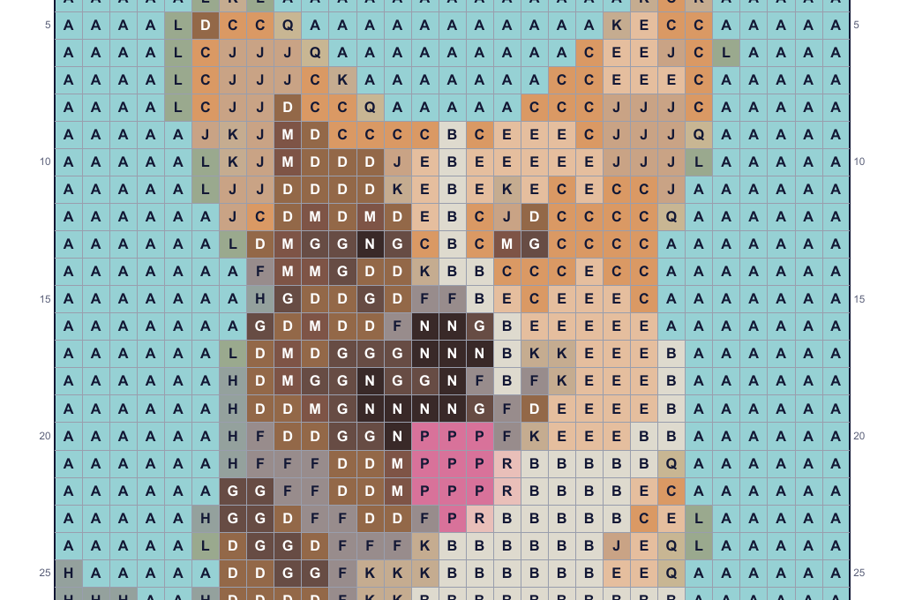
The picture is part of a chart page from a real PDF this tool made from the sample corgi photo (29 × 29 Perler beads), not a mock-up.
- Color list: brand code, name, hex, a symbol and how many of each you need, with skeins for floss and stacks for blocks.
- Chart: color and symbol in every cell, so it still reads in black and white. Bold lines every 10 cells, or every pegboard for beads and every chunk for blocks.
- Numbers on every page: rows and columns are numbered on all four sides and continue across pages, with a page map on the cover.
- Crochet: written diagonal rows for C2C and row-by-row color counts for tapestry crochet.
How to make a pattern from a photo
- Upload a photo. A pet, a person, a logo or a landscape. Clear shapes and good light work best. It stays in your browser.
- Pick the craft. Fuse beads, cross stitch, C2C or tapestry crochet, Minecraft blocks or plain pixel art. The palette and sizes switch to match.
- Set width and colors. Choose how many beads, stitches or blocks wide, and the most colors you want to buy or juggle. Turn on dithering for smoother shading.
- Compare and adjust. Drag the divider to compare the photo with the pattern. Every change redraws in a moment.
- Download. Take the pixel-art PNG for free, or get the printable PDF chart and color list for $4.99.
At a glance
- Free: upload a photo, see the pattern right away and download it as a pixel-art PNG. No account needed.
- Paid: $4.99 per photo, one-time — a printable PDF chart (a color and a symbol in every cell, row and column numbers, numbered pages for big designs) and a color list with codes and counts. Or $11.99 for 3 photos.
- Palettes: Perler, Hama and Artkal beads, DMC floss, Minecraft blocks (all solid blocks, or wool and concrete only), PICO-8 and Game Boy, or the best colors from your photo for any yarn.
- Grids from 8 to 200 cells a side, 2 to 60 colors, optional Floyd–Steinberg dithering. Colors are matched with the CIEDE2000 formula.
- One purchase covers every size, palette and color count for that photo. Re-download for 30 days.
- Your photo is processed in your browser and never uploaded to our servers.
- Refund: if the PDF does not open or print correctly, full refund within 14 days.
Questions people ask
How do I turn a photo into a bead or cross stitch pattern?
Upload the photo above, pick the craft (fuse beads, cross stitch, crochet, Minecraft or pixel art), set the width and the number of colors, and the pattern appears in your browser in about a second. Download the PNG for free or the printable PDF chart.
How much does it cost?
Free: upload a photo, see the pattern right away and download it as a pixel-art PNG. No account needed. Paid: $4.99 per photo, one-time — a printable PDF chart (a color and a symbol in every cell, row and column numbers, numbered pages for big designs) and a color list with codes and counts. Or $11.99 for 3 photos.
Is there a free way to do this?
Yes. The preview here is free, and so is the pixel-art PNG download: no account, no watermark on the picture. You only pay ($4.99) for the printable PDF chart with symbols, row and column numbers and the color list with counts. You can also chart a pattern by hand on graph paper, or use a free spreadsheet; it just takes longer.
Which bead and floss brands are supported?
Palettes: Perler, Hama and Artkal beads, DMC floss, Minecraft blocks (all solid blocks, or wool and concrete only), PICO-8 and Game Boy, or the best colors from your photo for any yarn.
How are colors matched?
We first find the main colors of your photo, then snap each one to the closest real color in the palette using CIEDE2000, the color-difference formula that best matches what people see. Every cell then gets the closest color from that short list.
Is my photo uploaded anywhere?
Your photo is processed in your browser and never uploaded to our servers. The pattern, the PNG and the PDF are all made on your device; only the payment goes through Stripe.
What is in the PDF?
A cover with the finished picture and the full color list (brand code, name, symbol, count), then the chart: every cell in its color with a symbol, thin lines per cell, bold lines every 10 (or every pegboard), and row and column numbers on all sides. Big designs are split into numbered pages with a page map. Crochet patterns also get written row-by-row instructions.
Can I make several patterns?
One purchase covers every size, palette and color count for that photo. Re-download for 30 days. The 3-photo pack is $11.99.
What if the PDF does not print right?
Refund: if the PDF does not open or print correctly, full refund within 14 days. Email us and we will help or refund.